 Skip to content
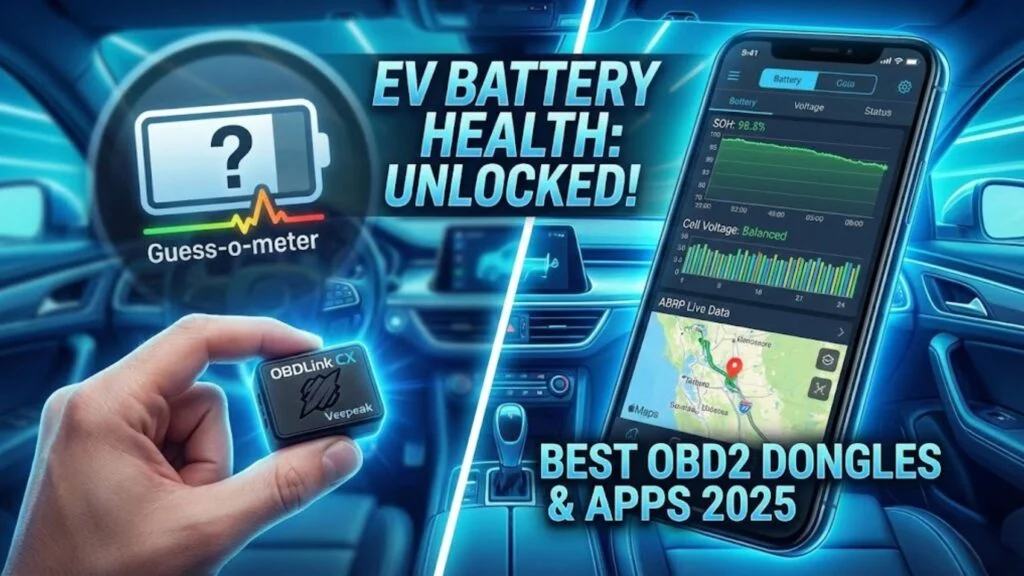
If you drive an electric vehicle, you are intimately familiar with the “Guess-o-meter”—that dashboard range estimate that seems to fluctuate wildly based on the wind direction or your mood. It’s useful for a quick glance, but it doesn’t tell you the whole story.
Serious EV owners know that the dashboard often hides the raw data you actually need: the State of Health (SOH), precise cell voltages, and battery temperature. To get this data, you don’t need a degree in electrical engineering; you just need a simple tool called an OBD2 dongle.
In this guide, we are cutting through the noise to recommend the specific hardware that actually plays nice with modern EV apps. We will look at why transfer speed matters and compare the heavy hitters: OBDLink CX versus Veepeak.
Why Your EV Needs an OBD2 Scanner
Most internal combustion car owners only buy a scanner when the “Check Engine” light turns on. For EV owners, an OBD2 dongle is a lifestyle accessory, not just a repair tool.
Your EV’s Battery Management System (BMS) is constantly generating thousands of data points. By plugging a dongle into the port under your steering wheel, you can broadcast this data to your phone via Bluetooth.
Here is what you are missing without one:
- Real-Time Degradation Stats: See exactly how much capacity your battery has lost since it left the factory (SOH).
- Optimized Trip Planning: Apps like A Better Routeplanner (ABRP) can use live consumption data to predict exactly how much charge you will have at your next stop, rather than guessing based on averages.
- Charging Speed Insights: Monitor the kilowatt delivery in real-time to see if a charging station is throttling you.
The Gold Standard: OBDLink CX
If you want the absolute best experience with minimal fuss, the OBDLink CX is the top recommendation for 2025.
Why is this the “it” device for EV drivers? It was practically built for us. The developers behind the popular A Better Routeplanner (ABRP) app explicitly recommend this dongle.
- Bluetooth Low Energy (BLE): unlike older scanners, the CX uses BLE. This means you don’t have to manually “pair” it in your phone’s settings every time you get in the car. It just connects.
- Battery Saver Technology: You can leave the CX plugged in 24/7. It has a sleep mode that ensures it won’t drain your 12V battery while the car is parked—a common issue with cheaper dongles.
- Security: It uses a physical button for the initial pairing, making it impossible for someone in the car next to you to hijack your data stream.
If you are planning long road trips and want live data feeding into your navigation, this is the dongle to buy.
The Budget Champion: Veepeak OBDCheck BLE
If you aren’t ready to drop premium cash but still want reliable data, the Veepeak OBDCheck BLE is the community favorite.
It is significantly cheaper than the OBDLink series and is widely supported by almost every major EV app, including Car Scanner ELM OBD2.
The Trade-off:
The Veepeak is reliable, but it is slower. In data terms, it has a lower “PID read speed.” This means the data updates on your screen might have a slight lag compared to the OBDLink. For checking battery health once a month, this doesn’t matter at all. However, if you are running a live dashboard while driving, you might notice the difference.
Head-to-Head: Veepeak vs OBDLink MX+
You will often see the OBDLink MX+ mentioned alongside the CX. The MX+ is the “big brother”—it’s faster and supports more proprietary vehicle networks (like Ford’s MS-CAN or GM’s SW-CAN).
Here is the breakdown for EV owners:
| Feature | Veepeak OBDCheck BLE | OBDLink CX | OBDLink MX+ |
| Best For | Occasional Checks | Daily Driving & ABRP | Hardcore Diagnostics |
| Speed | Moderate | Fast | Blazing Fast |
| Price | Budget | Mid-Range | Premium |
| iOS/Android | Both | Both | Both |
Verdict: For 90% of EV owners, the OBDLink CX strikes the perfect balance of price and performance. If you are on a tight budget, the Veepeak is perfectly capable of reading your battery health.
The Software: Apps You Need
Hardware is useless without software. These are the two apps you should download immediately after your dongle arrives.
1. Car Scanner ELM OBD2
This is the holy grail for static analysis. It has pre-built profiles for almost every EV: Hyundai Ioniq 5, Tesla Model 3, VW ID.4, Chevy Bolt, and more.
- Use it for: Checking your “State of Health” (SOH) percentage, reading cell voltages to find “bad cells,” and clearing error codes.
2. A Better Routeplanner (ABRP)
ABRP is the best navigation app for EVs, period. By linking it to your dongle, it stops guessing your efficiency and learns it.
- Use it for: Road trips. It will dynamically adjust your charging stops based on your actual battery drain and current weather conditions.
How to Check EV Battery Health App Guide
Once you have your best OBD2 scanner for EV, here is the quick process to check your battery health:
- Plug it in: Locate the OBD2 port (usually under the dashboard on the driver’s side).
- Connect: Open Car Scanner ELM OBD2, go to Settings > Adapter, and select your device type (Bluetooth LE for Veepeak/OBDLink CX).
- Select Profile: In the app settings, choose the exact connection profile for your specific car model.
- Read Data: Go to the “All Sensors” list and search for “SOH” or “State of Health.”
- Analyze: A new car should be near 100%. Anything above 90% is excellent for a used EV.
For more detailed guides on keeping your vehicle running smoothly, check out our extensive library of maintenance and DIY guides.
Frequently Asked Questions (FAQ)
Which OBD2 scanner works best with ABRP?
The OBDLink CX is the most highly recommended scanner for A Better Routeplanner (ABRP). It was designed with BLE technology to provide a stable, low-energy connection that allows for real-time data streaming without draining your 12V battery.
Can I leave my OBD2 dongle plugged in all the time?
Yes, but only if you buy a quality unit like the OBDLink CX or OBDLink MX+. These units have automatic sleep/wake functionality. Cheaper generic dongles may stay active even when the car is off, potentially draining your 12V accessory battery if left plugged in for days.
What is the difference between OBDLink CX and MX+?
The OBDLink MX+ is faster and supports more manufacturer-specific protocols (like SW-CAN and MS-CAN), making it better for advanced diagnostics and coding. The OBDLink CX is optimized for connection stability and navigation apps like ABRP. For standard battery monitoring, the CX is usually sufficient and more affordable.
Does using an OBD2 scanner void my EV warranty?
No. In the US and Europe, simply plugging a scanner into the OBD2 port to read data does not void your warranty. However, you should avoid using “coding” features to change vehicle parameters unless you know exactly what you are doing.