 Skip to content
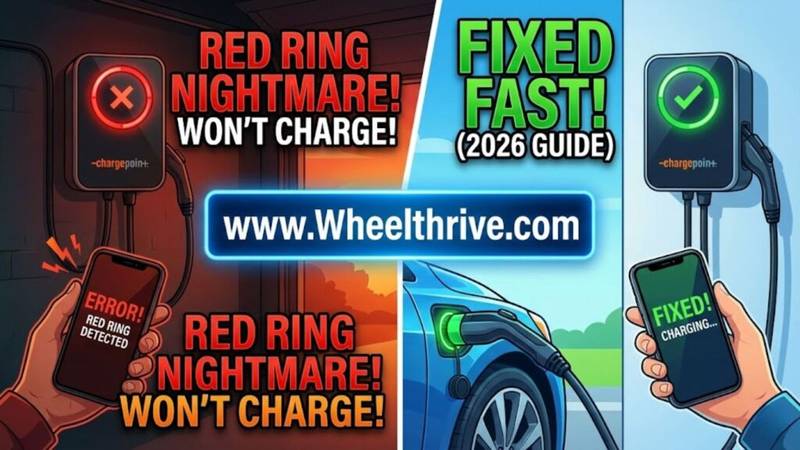
A Red Ring on your ChargePoint Home Flex indicates a critical fault. It usually means a Ground Fault (safety trip) or an internal hardware failure. To fix it, start with a Hard Reset: Flip your circuit breaker OFF for 20 seconds, then back ON. If the red light persists, check for GFCI breaker conflicts.
The “Ring of Death”: What Color Do You Actually See?
Before you panic and rip the unit off the wall, look closely at the LED color. In the dim light of a garage, it is easy to misinterpret the signals.
- Solid Red: This is the critical fault. The charger has detected a safety risk—such as a ground fault, over-current, or a stuck relay—and has cut power to protect your car. It will not charge in this state.
- Pulsing Red: This often indicates a recoverable error or a boot failure. It might be trying to clear itself.
- White (Solid or Blinking): This is not a fault. A white light simply means the charger is not connected to WiFi. It will still charge your car perfectly fine in “Dumb Mode.” If your light is white, your internet is the problem, not the hardware.
- Yellow: Firmware update in progress or the unit is “Not Activated.” Do not unplug it, or you risk bricking the software.
Step 1: The “Hard Reset” (Breaker Cycle)
The ChargePoint Home Flex is essentially a computer with a heavy-duty power cable attached. Like any computer, the internal logic board can freeze or get stuck in a loop.
Procedure:
- Walk to your main electrical panel.
- Locate the 40A or 50A circuit breaker labeled for your EV charger.
- Flip the breaker to the OFF position.
- Wait 30 Seconds. This pause is crucial to let the internal capacitors drain completely. If you flip it back too fast, the memory doesn’t clear.
- Flip the breaker ON.
- Watch the ring: It should cycle Green -> Blue -> White (or Green). If it immediately snaps back to Red, you have a wiring issue or a hardware failure. for a full list of blink codes, see the universal EV charger red light guide.
Step 2: The “Factory Reset” (Software)
If the light is Red but you can still access the charger via Bluetooth or WiFi in the app, a software reset might clear a “Ghost Fault.”
When to use: The Hard Reset didn’t work, but the app still sees the charger.
Procedure:
- Open the ChargePoint App on your phone.
- Navigate to Home Charger > Settings > Help.
- Select Factory Reset.
- Note: This wipes the WiFi credentials. You will need to stand next to the unit, re-scan the barcode on the side manual, and set it up as if it were new.
The “Double GFCI” Problem (NEMA 14-50 Plugs)
If you installed your ChargePoint using a 14-50 plug (like a dryer plug) rather than hardwiring it, this is the most likely cause of your Red Ring in 2026.
The Scenario: You plug in your car. The charger clicks, tries to start, and then the breaker in your panel trips, or the ChargePoint throws a Red Ring error.
The Cause: The ChargePoint Home Flex has a built-in safety device called a CCID (Charge Circuit Interrupting Device), which functions exactly like a GFCI. However, the 2026 National Electrical Code (NEC) requires the wall outlet in your garage to also have a GFCI breaker.
The Conflict: When you have two GFCI devices on the same circuit (one in the wall, one in the charger), they monitor each other. The tiny amounts of self-test leakage current from the ChargePoint often trick the wall breaker into thinking there is a deadly short, causing it to trip unnecessarily. This is called “Nuisance Tripping.”
The Fix: Hardwire the Unit. To fix this permanently, you must remove the plug and hardwire the unit directly into the junction box. Hardwired connections do not require a GFCI breaker under the code. By removing the wall plug and the GFCI breaker, you eliminate the conflict and the Red Ring vanishes. See the cost to install/hardwire a Level 2 charger.
WiFi Faults: Is the Server Down?
Sometimes users mistake a connectivity error for a broken charger.
Symptoms: The app says “Not Connected” or the ring is White.
The 2026 Context: Unlike other brands that have shut down, ChargePoint’s servers are stable. However, the hardware in the Home Flex relies on an older 2.4GHz radio chip. If you recently upgraded your home router to a modern WiFi 6E or WiFi 7 mesh system, it likely merged your 2.4GHz and 5GHz bands. The ChargePoint cannot connect to these “blended” networks reliable.
The Fix: Create a dedicated Guest Network on your router that is restricted to 2.4GHz only. Connect your phone to this network, then re-run the ChargePoint setup to force the charger onto this stable lane.
When to Call Support (Warranty Replacement)
If you have performed the Hard Reset and the Hardwire fix, and the light is still Solid Red, listen to the unit when you plug it in.
The “Relay Stuck” Sound: If you plug in the car and hear a loud, rapid CLICK-CLICK-CLICK followed immediately by a Red Ring, the internal high-voltage relay is welded shut. This is a hardware failure that cannot be fixed.
Warranty Action: The ChargePoint Home Flex comes with a 3-Year Warranty. Do not attempt to open the unit yourself, as it uses security torx screws and is not user-serviceable. Call ChargePoint support, describe the “Solid Red Ring” and the steps you have already taken. They are generally responsive about issuing an RMA (Return Merchandise Authorization) if you can provide a video of the fault.
Frequently Asked Questions
- Can I charge my car if the light is Red? No. The red light means the safety protocol has cut power to the handle to prevent electrocution or fire. You must clear the fault before electricity will flow.
- Why does it turn Red only when I plug in the car? This suggests the fault might actually be in your car’s Onboard Charger, or the pins inside the J1772 handle are dirty or damaged. Inspect the handle for debris or scorch marks.
- How do I remove the faceplate to check wiring? The faceplate snaps off without screws. Pull it gently from the bottom. Underneath, verify that the input wires are torqued to exactly 75 in-lbs. Loose wires cause high heat, which triggers thermal sensors and the Red Ring.
Conclusion
A Red Ring is usually a “Ghost” (requires a reset) or a “Gremlin” (GFCI conflict). Do not buy a new charger until you have tried the breaker flip and considered hardwiring the unit to bypass sensitive breakers.
If you are using a plug-in outlet and getting frequent red lights, call an electrician to hardwire the unit. It’s safer, more reliable, and unlocks faster charging speeds.