
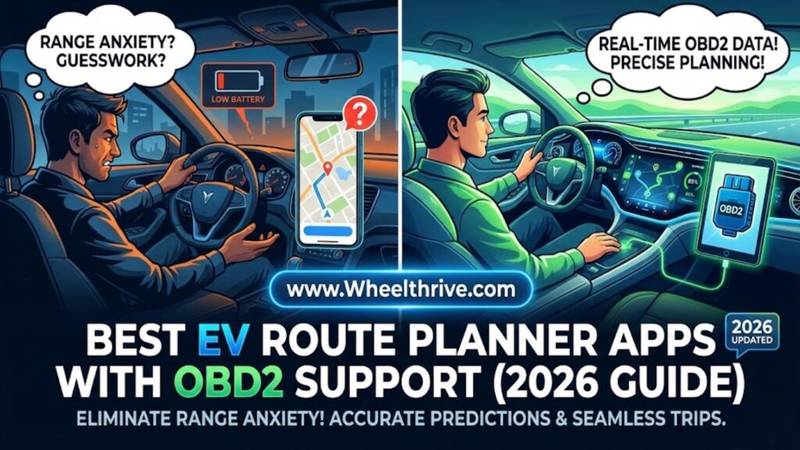
For 2026, A Better Route Planner (ABRP) remains the undisputed king of EV navigation with direct OBD2 support. By pairing it with a Bluetooth dongle like the OBDLink CX, you get real-time State of Charge (SoC) data that accounts for wind, elevation, and degradation, far outperforming standard “Guess-o-Meters.”
Why You Need OBD2 Integration (The “Guess-o-Meter” Problem)
If you have driven an EV for more than a month, you know the feeling of betrayal. Your dashboard says you have 200 miles of range. You drive 100 miles into a headwind, and suddenly the car says you have 40 miles left.
The Issue:
Stock navigation systems and “Guess-o-Meters” calculate range based on past averages. They rarely account for real-time variables like:
- A cargo box on the roof (aerodynamic drag).
- A 20 mph headwind (massive consumption increase).
- Battery degradation (your 100% isn’t what it used to be).
- Cold weather (heater usage).
The Solution:
This is where an OBD2 Dongle changes the game. By plugging a small Bluetooth transmitter into your car’s diagnostic port, you allow a “Power User” app to read the live voltage and current from the battery management system (BMS).
The Benefit:
Instead of guessing, the app knows exactly how much energy you are using every second. It can predict your arrival percentage with frightening accuracy. You arrive with 5% exactly as planned, rather than panicking when 5% turns into 0% ten miles from the charger. stock systems are prone to common EV software glitches.
Top Rated Apps with OBD2 Support
1. A Better Route Planner (ABRP)
Verdict: The Gold Standard.
In 2026, ABRP is still the app to beat. While other apps have prettier interfaces, none match ABRP’s raw data processing. It was the first to support direct BLE dongle connections, and it remains the most robust.
Best Features:
- Live SoC Tracking: The app updates your battery percentage every second via BLE (Bluetooth Low Energy). If you drive faster and consume more power, ABRP instantly re-routes you to a closer charger.
- Calibration: The app “learns” your specific car’s efficiency. If you put heavy all-terrain tires on your Rivian or Model Y, ABRP will notice the higher consumption and adjust its math automatically.
- Charger Scoring: It doesn’t just find chargers; it grades them. It will route you to a reliable 350kW Electrify America station and skip the broken 50kW unit down the road.
Cost:
- Free: Basic planning and live data (on the phone screen).
- Premium (~$5/mo): Required if you want to project the map onto your dashboard via CarPlay or Android Auto.
2. Pump (iOS Only)
Verdict: The Beautiful Alternative.
If ABRP is for engineers, Pump is for designers. Available only on iPhone, it offers a stunning, clutter-free interface that feels like a native Apple app.Difference:
Pump prioritizes simplicity. It doesn’t bombard you with graphs and numbers. It just tells you where to go.
Connectivity:
In 2026, Pump has expanded its connectivity. It primarily uses “Tronity” (a cloud API service) to pull data from your car’s manufacturer account. However, newer updates have introduced direct BLE support for specific dongles, reducing the lag time between the car using energy and the app seeing it. It is less technical than ABRP but much easier to read while driving.
3. EVNotify (The DIY Option)
Verdict: For Tinkerers.
Use Case:
EVNotify is an open-source project that runs in the background. It’s not a navigator itself; it’s a bridge. You run EVNotify to read the dongle data, and it feeds that data to other services. The interface is clunky and looks like a developer tool, but if you want raw access to battery cell temperatures and voltages, this is your tool.
You can even clear the Chevy Bolt ‘Service High Voltage’ error with these apps.
The “Fake” Contenders: Google Maps & Apple Maps
There is massive confusion in the market right now. You might read that “Google Maps supports EV routing.”
The Reality:
- Google Maps Built-In (Android Automotive OS): If you drive a Polestar 2, Volvo EX30, or Silverado EV, Google Maps is built into the car. It does read battery data directly from the car’s computer.
- Google Maps Phone App: If you use the Google Maps app on your Samsung or iPhone, it cannot connect to a generic Bluetooth OBD2 dongle. It estimates your battery based on generic algorithms. It does not know your real-time consumption.
Best OBD2 Dongles for EV Route Planning (2026)
Not all dongles are created equal. For EV route planning, you need a dongle that supports Bluetooth Low Energy (BLE) so it doesn’t interfere with your phone’s connection to the car’s stereo.
| Dongle Model | Best For | Price Est. | Security Features |
| OBDLink CX | ABRP Official | ~$80 | Auto-Sleep (Won’t drain 12V), Secure Pairing |
| Vgate iCar Pro BLE 4.0 | Budget Pick | ~$35 | Good, but manual wake-up sometimes required |
| Veepeak OBDCheck BLE+ | Alternative | ~$40 | Wide compatibility, slightly slower data rate |
Warning: Avoid the generic $10 “ELM327” clones found on eBay or AliExpress. They often lack the specific BLE protocols needed for iOS connectivity and can cause data errors on the CAN bus.
How to Connect ABRP to Your Car
The process is slightly different than connecting a pair of headphones. Follow these steps to avoid the “Connection Failed” error.
- Plug in the Dongle: Locate your OBD2 port. It is usually under the steering wheel dashboard, near your left knee.
- The “Pairing” Trick:
- Do NOT pair the dongle in your phone’s main Bluetooth settings menu.
- Open the ABRP App first.
- Go to Settings > Car Model > Link OBD.
- Select your dongle (e.g., “OBDLink CX”) from inside the app.
- Calibration Drive: Once connected, go for a 10-minute drive on a flat highway. This allows the app to compare your speed vs. consumption and establish a “Reference Consumption” baseline for your specific vehicle.
Frequently Asked Questions
- Will leaving the dongle plugged in drain my 12V battery?Not if you buy a quality unit. The OBDLink CX has a physical “Sleep Mode” circuit that turns the radio off when the car is off. Cheap dongles ($10 range) often stay awake and will kill your 12V battery if left plugged in for a week at the airport.
- Does this work for Tesla?No… and Yes. Teslas do not have a standard OBD2 port accessible to drivers. To use this setup, you must buy a specific “Adapter Harness” (Y-cable). You plug this harness into the connector behind the rear center console (Model 3/Y) to create a port for the dongle.
- Is ABRP Premium worth it?Yes, specifically for the CarPlay / Android Auto integration. Without Premium, you are forced to look at your phone screen mounted on the dash. With Premium, the live map and battery data appear on your car’s main infotainment screen, which is safer and cleaner.
Final Take
If you road trip more than twice a year, an OBD2 setup is cheaper than a tow truck and cheaper than the therapy required after a “range anxiety” panic attack. It turns your phone into a precision instrument that rivals the best built-in navigation systems on the market.
Pick up the OBDLink CX today and download ABRP before your next long haul to eliminate range anxiety forever.