
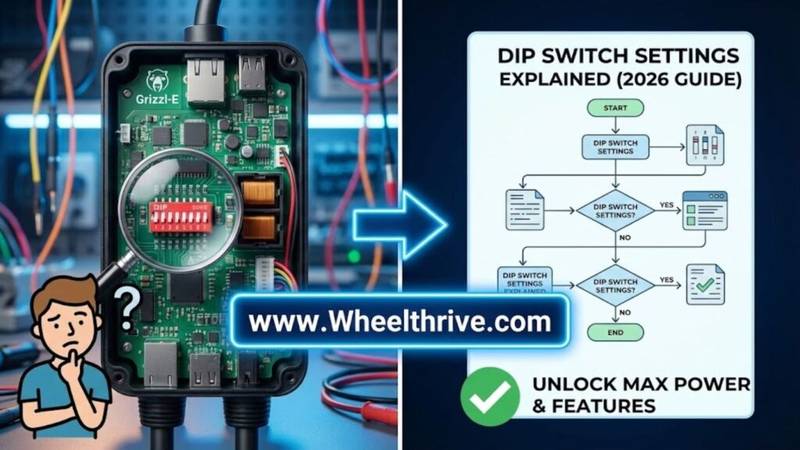
To set the amperage on a Gen 2 Grizzl-E Charger (Classic, Smart, or Duo), you must adjust the internal grizzl-e dip switch settings. For a standard 50A breaker (40A output), the settings are usually Switch 1 UP, Switch 2 UP, Switch 3 UP, and Switch 4 DOWN. Always turn off the breaker before opening the unit to avoid injury.
If you are standing in your garage with a screwdriver in one hand and a manual you can’t read in the other, you are in the right place. Most people don’t realize that the Grizzl-E comes factory-set to 40 Amps. If you plug that into a 30 Amp dryer circuit, you will trip the breaker immediately. You must physically “tell” the charger what circuit it is connected to.
Important Safety Warning (Read First)
Before you touch anything inside the charger, you need to understand the 80% Rule.
The Rule: Per the National Electrical Code (NEC), Electric Vehicle Supply Equipment (EVSE) is considered a “continuous load.” You can only draw 80% of a circuit’s rated capacity.
- 50 Amp Breaker: Max Safe Charging = 40 Amps
- 40 Amp Breaker: Max Safe Charging = 32 Amps
- 30 Amp Breaker: Max Safe Charging = 24 Amps
- 20 Amp Breaker: Max Safe Charging = 16 Amps
Danger: If you set the DIP switches to 40A while using a 30A breaker, you create a fire hazard. The wire will heat up, and the breaker should trip, but you never want to rely on the safety mechanism as a standard operating procedure.
Power Off: Use a non-contact voltage tester to verify there is zero power going to the unit before you remove the faceplate. 240V can be lethal.
The “Cheat Sheet”: DIP Switch Positions (Gen 2 / 4-Switch Models)
This table covers the Grizzl-E Classic, Grizzl-E Smart, and Grizzl-E Duo (Gen 2 units with 4 switches).
Note: The switches are tiny. UP usually means “ON” or towards the numbers on the block.
| Target Output (Charging Speed) | Required Circuit Breaker | DIP Switch Settings (1 – 2 – 3 – 4) |
| 16 Amps (3.8 kW) | 20 Amp | ⬇️ 1 OFF |
| 24 Amps (5.8 kW) | 30 Amp | ⬆️ 1 ON |
| 32 Amps (7.7 kW) | 40 Amp | ⬇️ 1 OFF |
| 40 Amps (9.6 kW) | 50 Amp | ⬆️ 1 ON |
| Factory Default | 50 Amp | ⬆️ 1 ON |
Note on Switch 4: On some older V1 boards, Switch 4 was used for grounding checks. On modern Gen 2 boards, the configurations above are the standard. Always verify with the sticker inside your specific unit’s cover, as manufacturing batches change. this is a critical step in the Level 2 charger installation process.
How to Access the Switches
- Remove Security Screw: Locate the small tamper-resistant screw on the side or bottom of the enclosure. You may need the specific bit key that came with the charger.
- Open the Enclosure: Remove the 4 Phillips-head screws on the corners of the faceplate. Pull the cover off gently (be careful of the LED ribbon cable if attached).
- Locate the Block: The DIP switch block is a small red or black rectangle, usually located on the top left or center-left of the green circuit board.
- Adjust: Use a small precision screwdriver or the tip of a non-conductive pen to flip the switches. Do not use a pencil, as graphite dust is conductive and can short the board.
Grizzl-E Duo & Ultimate: Special Cases
Grizzl-E Duo
If you have the dual-cable charger, the DIP switches set the TOTAL output for the entire unit, not per plug.
- Scenario: If you set the switches to 40A (50A breaker) and plug in two cars, the unit intelligently splits the power (20A to each car). You do not need to adjust switches every time you plug in a second vehicle.
Grizzl-E Ultimate (80A Model)
The “Ultimate” is a different beast entirely. It typically uses an 8-switch block because it supports higher amperage outputs like 48A (60A breaker) or even 80A (100A breaker). Do not use the 4-switch chart above for an Ultimate unit. Refer to the specific Ultimate manual for 8-switch binary codes.
Troubleshooting: “My Charger is Flashing Red”
If you flip the breaker back on and the Grizzl-E starts flashing a Red/Blue error sequence, you likely set an “Invalid Combination.”
- Mismatch Error: If you set all switches DOWN (Off), the unit does not know what to do and will fault out.
- The “Reset” Requirement: The charger reads the switch positions only during boot-up. If you change the switches while the power is ON, nothing will happen. You must flip the breaker OFF and then ON again for the charger to recognize the new amperage setting.
- if the light flashes red after setting switches, check our universal EV charger red light guide.
Why Not Use the App? (Grizzl-E Smart)
A common question is, “Can’t I just change the output current in the app?”
The Answer is No.
For Grizzl-E Smart units, the physical DIP switches always override the software. This is a safety requirement for NEC 625 compliance. The amperage limit must be “hard set” physically so that a software glitch or a user error in an app cannot accidentally ramp the current up to 40A on a 30A wire, which would melt the insulation and start a fire.
Frequently Asked Questions
Q: Can I set the Grizzl-E Classic to 48A?
- A: No. The standard Classic and Smart hardware is physically capped at 40 Amps maximum. To get 48A charging, you need the “Ultimate” model or a different hardwired charger like the Tesla Wall Connector.
Q: Which way is UP on the switch?
- A: Look closely at the switch block. You will see the numbers 1, 2, 3, 4. Usually, the side marked “ON” is UP. If “ON” is not marked, “UP” is generally away from the circuit board surface numbers.
Q: I have a Gen 1 unit (3 Switches). What do I do?
- A: Stop. The Gen 1 logic is completely different. The 4-switch codes above will not work and could be dangerous. You must consult the archived Gen 1 manual from United Chargers.
Summary
Double-check your breaker size before touching the switches. Running at 40A is great for speed, but 32A is often safer for older homes and places less stress on your electrical panel while still charging your EV overnight.
For official diagrams and archived manuals, visit the Grizzl-E Support Page. To understand the safety rules behind continuous loads, refer to the National Electrical Code (NEC) Article 625.