
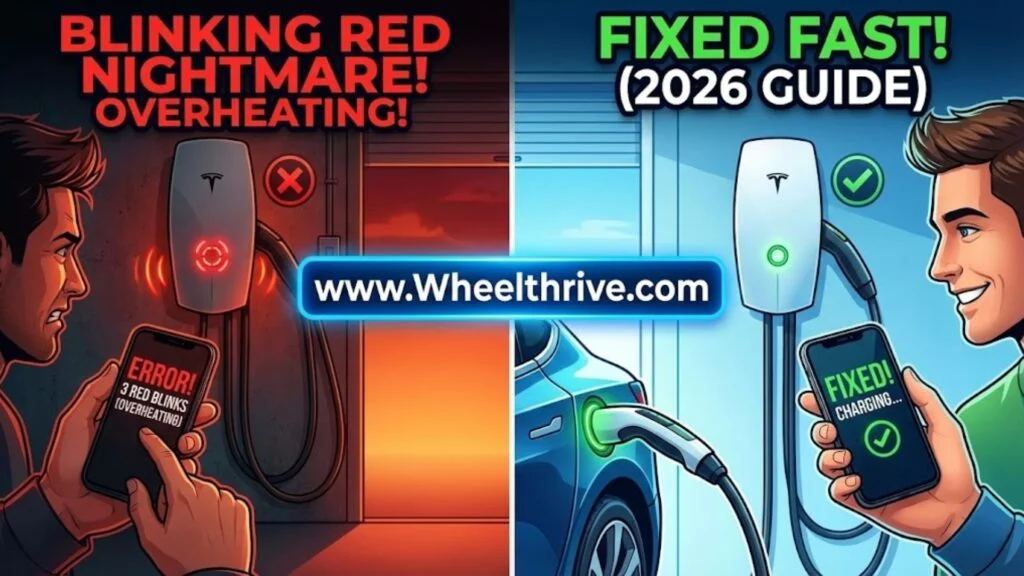
If your Tesla Wall Connector (Gen 3) is blinking red three times, it has detected High Temperature inside the unit or at the handle. Charging is either limited (slowed down) or disabled to prevent melting. To fix it immediately: stop charging, let the unit cool for 30 minutes, and lower your charge current to 24A or 32A in the Tesla App.
The “3 Red Blinks” Error
When you walk into your garage and see your charger flashing red, it is easy to panic. However, the Tesla Wall Connector is smart enough to tell you exactly what is wrong.
The Official Meaning: “High temperature detected; charging limited or disabled.”
The Behavior:
You will typically see one of two patterns:
- Streaming Green + 3 Red Blinks: The charger is still working, but it has throttled itself. For example, if you set it to 48A, it might have automatically dropped to 24A to manage the heat.
- Solid Red + 3 Blinks: Charging has stopped completely. The safety sensors determined that continuing to charge would risk melting components or starting a fire.
Where is the heat?
The Gen 3 Wall Connector has temperature sensors in three critical spots:
- The PCB (Main Motherboard): Detects internal electronic heat.
- The Terminal Block: Detects heat where the house wires connect to the charger.
- The Charging Handle: Detects if the connection to the car’s port is getting too hot.
Immediate Workaround: How to Keep Charging
If you need range immediately and cannot wait for an electrician, use this “Limp Mode” protocol to charge safely.
Step 1: The “Cool Down” Period
Do not force the session to restart immediately. Unplug the handle from the car and let the unit sit idle for at least 30 minutes. This allows the thermal sensors to reset.
Step 2: Lower the Amperage (The Limp Mode)
Heat is generated by resistance and current. By lowering the current, you drastically reduce the heat.
- Open the Tesla App.
- Go to Charging > Charge Current.
- Drop the limit from 48A to 24A.
Why this works: Heat generation follows a square law ($I^2R$). If you cut the amperage in half (48A to 24A), you reduce the resistive heat by 75%. This is usually enough to keep the charger cool even if there is a loose connection.
Step 3: Schedule for Night
If your garage is 100°F+ during the day, shift your charging schedule to 2:00 AM. Ambient temperature plays a massive role in whether the unit trips the high-temp limit.
Root Cause 1: Loose Wire Terminations (Most Common)
If your wall connector blinks red even on cool days, this is almost certainly the problem. 90% of overheating issues are caused by loose screws at the terminal block.
The Science:
Copper wires expand when hot and contract when cold. Over months of charging cycles, this movement can cause the screws inside the Wall Connector to back out slightly. A loose screw creates an air gap (resistance). Pushing 48 amps across that gap creates a tiny arc, which generates massive heat.
The Fix (Requires Electrician or Competent DIY):
- Power OFF the breaker. Verify no voltage is present.
- Remove the glass faceplate (You will need a T10 Torx bit).
- Remove the internal protective cover (T20 Torx).
- Check Torque: The lugs inside the Gen 3 Wall Connector must be torqued to exactly 5.6 Nm (50 lb-in).
- Crucial: If the wire insulation looks melted, brown, or crispy, the unit is damaged and must be replaced. Do not simply retighten melted wires.
Root Cause 2: Improper Wire Sizing
In 2026, we still see installs where the wire gauge is too thin for the charging speed.
The Rule:
To charge at the full 48A, you must use #6 AWG THHN (Copper) or larger.
The Mistake:
Some installers use #8 AWG wire (rated for 40A continuous) but set the charger to 48A. The wire itself heats up like a toaster element, transferring that heat into the Wall Connector terminals.
Symptoms:
- The drywall behind the charger feels warm or hot.
- The smell of burning plastic hangs in the garage.
Verdict:
If your wire is too small, you do not need to rewire the house. Instead, you must access the Commissioning Wizard (connect to the Wall Connector’s WiFi at 192.168.92.1) and permanently set the “Breaker Rating” to a lower value that matches your wire size.
Root Cause 3: The “Handle Sensor” Failure
Sometimes, the wall unit on the wall is cool to the touch, but the “3 Red Blinks” error persists. This points to the handle.
The Symptom:
The charging handle feels scalding hot when you pull it out of the car.
The Cause:
- Dirty Contacts: Dust, lint, or corrosion inside the car’s charge port or the handle pins increases resistance.
- Failing Thermistor: The temperature sensor inside the handle may have failed, sending a “False Positive” heat signal to the main unit.
Maintenance:
Inspect the plug for debris. Use electrical contact cleaner (with the power breaker off!) to spray out the handle and the car’s charge port.
Gen 2 vs. Gen 3: Differences in Error Codes
It is important to know which unit you have, as the failure modes differ.
- Gen 3 (Glass Faceplate): 3 Red Blinks usually indicates a recoverable heat issue (loose wire or hot day).
- Gen 2 (Silver/Plastic): While it also has heat codes, the Gen 2 often fails because the internal Thermal Fuse blows. If a Gen 2 unit overheats significantly once, it may never work again because this fuse is non-resettable. see how this compares to other brands in our Tesla vs. ChargePoint vs. JuiceBox showdown.
When to Replace the Unit (Warranty)
If you have torqued the wires and lowered the amps, but the light still blinks red, your unit may have an internal board failure.
Warranty Terms:
Tesla Wall Connectors come with a 4-year residential warranty.
How to Claim:
- Record a Video: Tesla support will want to see the blink pattern (3 red flashes).
- Photo of Serial Number: Located on the side label (starts with TPN).
- Contact Support: Use the Tesla App.
- Note: They will almost always ask you to verify the torque settings (5.6 Nm) before they agree to ship a replacement. Be prepared to confirm you have done this. for 1 or 4 blinks, refer to the universal EV charger blinking light guide.
Frequently Asked Questions
- Can I put a fan on it?Yes. If the issue is purely environmental (e.g., a heatwave in Qatar or Arizona), pointing a box fan at the unit can help dissipate heat from the heatsink. However, this will not fix a loose wire.
- Is it safe to leave it blinking?No. If it is blinking red, the unit is telling you that safety limits have been reached. Stop charging until you identify if the heat is coming from a loose connection or just the sun.
- Does the Mobile Connector (UMC) have the same code?No. On the Mobile Connector (the portable travel charger), the “T” on the logo flashes red for thermal errors. The Wall Connector uses the 3-blink code.
Verdict
Seeing 3 red blinks is a warning, not a death sentence for your charger. 90% of the time, this is caused by a loose wire connection that simply needs retightening to 50 lb-in. 10% of the time, it is just an exceptionally hot day, and your charger needs a break.
Don’t risk a fire. Drop your charging speed to 24A immediately and call an electrician to perform a “Torque Check” this week.