
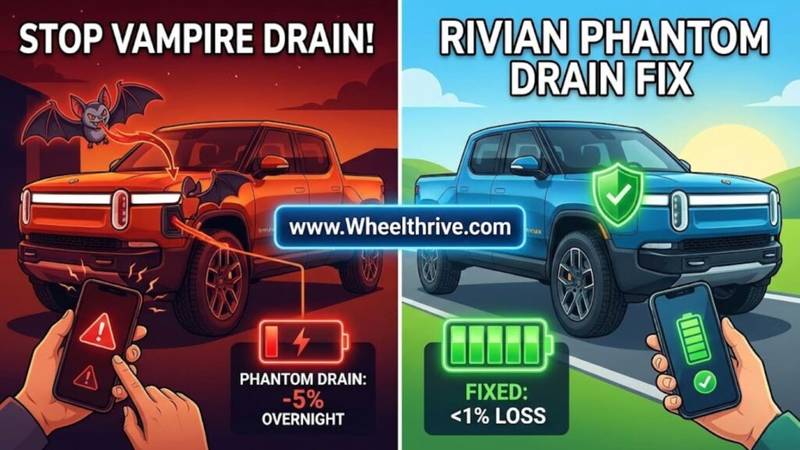
In 2026, “normal” phantom drain for a Rivian R1T/R1S is roughly 1% per day (Gen 2) or 1-3% per day (Gen 1). To stop excessive drain immediately: turn Gear Guard to ‘Off at Home,’ disable Proximity Locking in your garage, and force-close the Rivian mobile app to stop it from waking the truck via Bluetooth.
If you parked your truck at the airport with 80% charge and returned to 55%, you are right to be frustrated. While Rivian’s “adventure vehicle” ethos means the truck is always monitoring its sensors, excessive battery loss is usually a sign of a setting gone wrong or a dying 12V battery.
What is “Normal” Drain in 2026?
To fix the problem, you first need to know if your truck is broken or just “being a Rivian.” The truck is essentially a giant computer on wheels. It needs to “sleep” to save power. If it stays “awake” (monitoring sensors, uploading data, or listening for your phone), it burns energy.
Gen 1 vs. Gen 2 Hardware
- Gen 1 (2022-2024): Uses an older 12V architecture that has historically struggled with sleep cycles. It is common to see a loss of 3-5 miles per day even when healthy.
- Gen 2 (2025+ Peregrine): Uses a new “Float Charging” system for the low-voltage battery and more efficient computers. You should see losses of less than 1% (1-2 miles) per day.
Verdict: If you are losing 5% or more overnight, you have a specific problem that needs addressing—either a rogue setting or a failing 12V battery.
Top 5 Fixes for Rivian Phantom Drain (Ranked)
1. The “Gear Guard” Settings
The Issue: Gear Guard is Rivian’s security system. It uses the cameras to record motion. The problem is that processing video requires the main computer to stay awake. If you park in a busy garage or near a sidewalk, your truck is waking up every 5 minutes to record a “Gary” clip. The Fix: Go to Settings > Gear Guard and select “Off at Home.” Crucial Step: Ensure your “Home” location is set correctly in the Navigation settings, or this geofenced setting won’t trigger.
2. Proximity Locking & The “Phone Key Dance”
The Issue: This is the most common cause of massive drain. If your bedroom, kitchen, or living room is located directly above or next to your garage, your phone’s Bluetooth is constantly connecting and disconnecting from the truck. The truck “wakes up,” prepares to unlock, waits for you to open the door, realizes you aren’t coming, and goes back to sleep. It repeats this hundreds of times a night. The Fix:
- Option A: Set Proximity Locking to “Lock Only” at home.
- Option B (Nuclear): Turn off Bluetooth on your phone at night or Force Close the Rivian App.
Since the truck is awake, keep it plugged in. See our guide to home charging solutions to minimize the impact.
3. The “Widget” & Third-Party App Problem
The Issue: Apps like Rivian Roamer, ElectraFi, or even the native iOS Widget on your home screen query the Rivian API to show you the battery percentage. Every time they ask “What’s the battery %?”, the truck has to wake up to send the answer. The Fix:
- Remove the Rivian widget from your phone’s home screen.
- Adjust the “Polling Frequency” in third-party data logger apps to “Once per hour” or disable them entirely if drain is high.
4. Check Your Seatbelts (The “Ghost Passenger”)
The Weird Bug: If a rear seatbelt is buckled—perhaps to secure a dog crate, a child seat base, or a heavy box—the truck’s occupancy sensors may think a person is inside. This keeps the HVAC system primed and the infotainment screen ready to use. The Fix: Unbuckle all empty seats and remove heavy items from the passenger seat overnight.
5. 12V Battery Health (The Death Spiral)
The Mechanism: When the small 12V batteries (Gen 1 has two) get weak, they can’t hold a charge. The big High Voltage (HV) battery has to wake up constantly to recharge them. This manifests as massive range loss because the big battery is effectively on life support duty. The Symptoms: You see a drain of 5-8% per day and potentially get “12V Battery Service Soon” warnings on the dash. You can track these wake-up cycles by monitoring drain with OBD2 tools.
The “Software 2025.46” Factor
If you haven’t updated your truck recently, do it now. The 2025.46 update (released late 2025) specifically addressed a “sleep bug” where the vehicle wouldn’t return to deep sleep after a scheduled charging session ended.
Action: Go to Settings > Updates and ensure you are on version 2025.46 or newer. This single update has fixed the issue for thousands of owners.
Long-Term Parking: Shipping Mode vs. Camp Mode
If you are leaving the truck at the airport for 2 weeks or more, standard settings won’t cut it. You need to put the truck into a coma.
Solution 1: Shipping Mode
This is the most aggressive power-saving mode. It shuts down almost everything, including the cellular modem, WiFi, and Bluetooth.
- Pros: Drain drops to near zero.
- Cons: You cannot check the app remotely. The alarm is off.
- How to: Settings > Vehicle > Service > Shipping Mode. (Note: You may need to look under “Service” on the main menu depending on your UI version).
Solution 2: Camp Mode “Stay Off”
- Pros: Keeps the alarm on but kills the outlets and screens.
- Cons: Drain is still higher than Shipping Mode because the vehicle is “listenable.”
- constant drain cycles can accelerate degradation and impact EV battery replacement costs.
Frequently Asked Questions
Q: Does leaving it plugged in reduce drain?
- A: It masks the drain. The computer is still awake and consuming power, but it draws from your wall outlet instead of the battery. This stops range loss but still costs you money on your electric bill.
Q: Is 5 miles of loss per day normal for an R1S?
- A: For a Gen 1 R1S in freezing cold weather? Yes, that can be normal as it keeps the battery warm. For a Gen 2? No, that is high and indicates a setting issue.
Q: Does the “Bird Chirp” lock sound drain battery?
- A: The sound itself uses negligible power. However, the fact that you hear it locking/unlocking repeatedly means the truck is being woken up by your phone key, which does drain the battery.
Summary
Phantom drain is the “Rivian Tax” for having a highly connected adventure vehicle, but you can control it.
Call to Action: Start with the ‘Gear Guard Off at Home’ setting tonight. If you still lose >2% by morning, it’s time to schedule a service ticket to have your 12V batteries tested.
For more details, check the Rivian Official Support page or join the discussion on RivianForums.com regarding the 2025.46 sleep bug.